Legacy software does not always need to be rewritten.
Sometimes the better approach is to understand what is already working, clean up one piece at a time, and slowly make the application easier to maintain.
Dhali owner Ravi Ram recently joined Jeffrey Sherman and Isaac Askew on the Never Rewrite podcast to talk about refactoring legacy software and how AI is changing the way we approach development. View on YouTube.
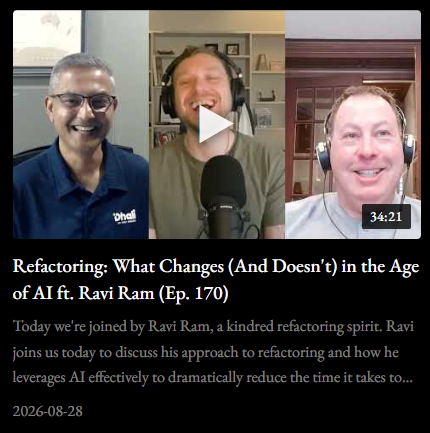
Never Rewrite is a software engineering podcast where Jeffrey and Isaac break down why full rewrites fail, how to modernize legacy systems effectively, and how AI-driven, agentic tools are reshaping everyday development work.
Start Small
When working with an older application, it is easy to look at thousands of lines of code and think the whole thing needs to be replaced.
Our approach is usually much smaller.
Take one section of code. Understand what it does. Move it into a cleaner structure. Test it. Make sure the application still works.
Then move on to the next piece.
This lowers the risk and makes each change easier to review. It is an approach Ravi has used for years while working with Classic ASP, and other legacy applications.
Where AI Helps
AI has made this process much faster.
Instead of asking AI to rewrite an entire application, we give it one specific job.
For example, we may ask it to move database code into the proper repository layer. Then we review those changes before moving on to the next part of the application.
We also give our AI tools development standards and project-specific notes. This helps give the AI a clear example of how we want the code structured instead of simply copying patterns from the old code.
In some cases, work that once took about a week can now move through development, review, and testing in about a day.
That is a big improvement, but speed is not the only goal.
The code still needs to be understandable, testable, and maintainable when we are done.
Developers Are Still Part of the Process
AI can help us read code, write code, create documentation, and handle repetitive development work much faster.
But we still review what it changes.
We still look at the code before it is committed. We still test the application. And we still make the final decision about what gets released.
For us, AI is another development tool. It is a very powerful one, but it is still a tool.
AI Is Helping With More Than Code
One of the more interesting parts of our AI workflow happens before development even starts.
We can take client meeting notes, requirements, documentation, and developer ideas and use AI to help organize them into a detailed project specification.
That specification can then help us create a Figma prototype so the client can see how the application may work before we spend a lot of time writing production code.
The client can click through the screens, give us feedback, and help us catch misunderstandings earlier in the project.
It gives us a simple workflow:
Client requirements → project specification → prototype → feedback → development
Better Tools, Same Goal
The tools we use to build software are changing quickly.
The goal has not changed.
We want to take difficult legacy applications and make them easier to understand, safer to update, and easier for a development team to support.
AI is helping us do that faster, while the same basic approach still works.
Make small changes. Test them. Review them. Then keep moving forward.
Ravi goes into much more detail about this process in his conversation with Jeffrey Sherman and Isaac Askew on the Never Rewrite podcast.
Watch “Refactoring: What Changes (And Doesn’t) in the Age of AI ft. Ravi Ram” on YouTube.
Working With Legacy Software?
If your application is becoming harder to maintain, adding new features does not always mean starting over.
Dhali can help you modernize your existing software one manageable step at a time.
Contact Dhali to talk about your software modernization project.